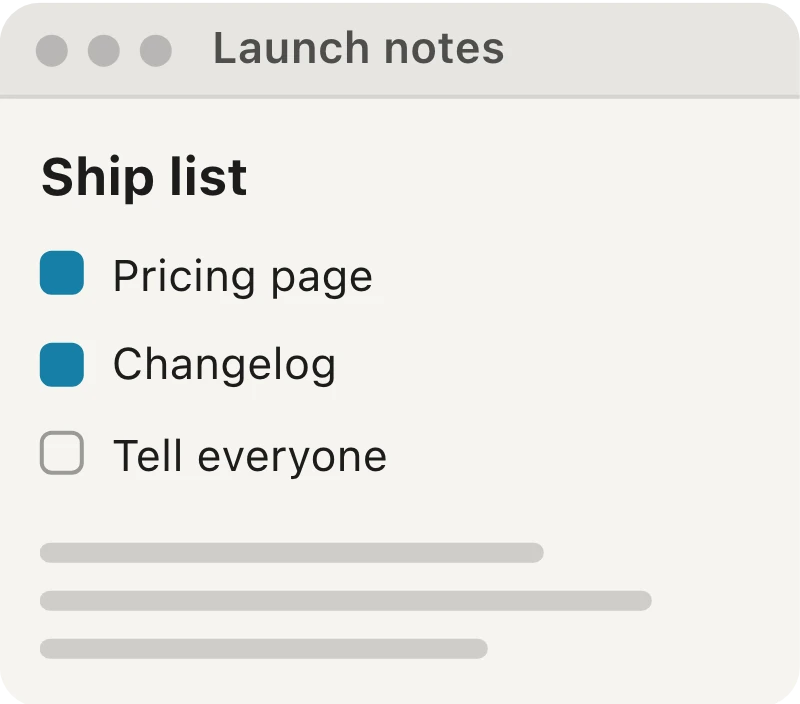
You don’t want the screen. You want that window — the app, the document, the modal — clean, with the desktop and its clutter left behind. The difference matters more than it looks: a window capture is a self-contained artifact. It travels to a doc, a ticket, a deck without someone’s wallpaper, another app’s notification, or the clock in the corner.
The move
Press ⌘⇧W on macOS or Ctrl+Shift+W on Windows (the default — remap it in Settings → Shortcuts).
The screen dims and every window gets a reticle. Move over the one you want and click. That’s it:
- The entire window, including its title bar is captured.
- Every other window is excluded — no desktop bleed, no neighboring app, no notification.
- It keeps the window’s current size and position in the image, so a full-screen window exports as full-screen and a small one as small.
Two details worth knowing:
- You can capture windows that are behind other windows. Hover to the edge that’s showing, click, done — no need to raise, resize, or rearrange your desktop first.
- Press Escape before you click to back out.
$ pnpm deploy --prod
✓ built in 4.1s
✓ uploaded 212 files
→ live at hypernuclear.com
$
Why it’s better than the region-drag
The classic workaround is to drag a region around a window. That’s usually off by a few pixels, and it captures the shadow or clips the title bar depending on your hand. Window capture does what your intent already was: give me the window and the window alone.
And because it’s a live capture, not a flattened PNG, you can keep working on it after the click — annotate, spotlight, redact — and it’s already saved as an editable .hypercapture.