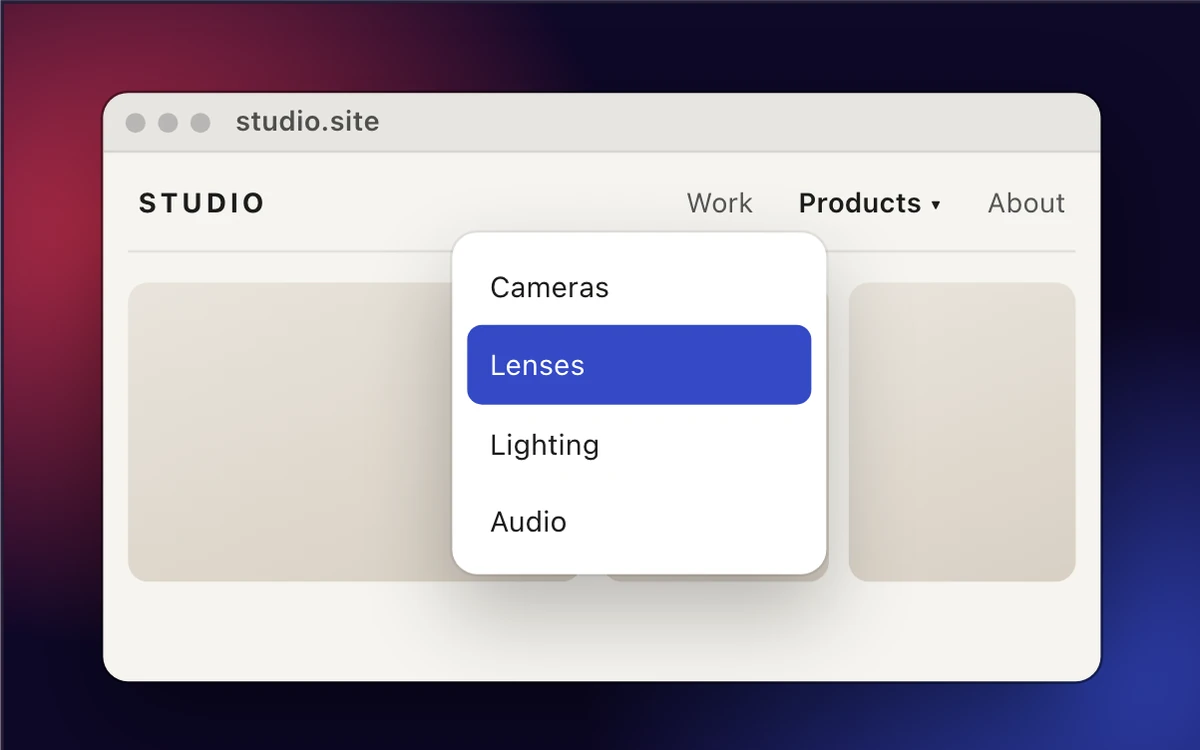
The most frustrating failure mode in screenshots is the frame that was there a half-second ago and is gone now. You open the menu, go to aim, and the menu closes. You hover for the tooltip, start moving toward your keys, and the tooltip evaporates. The thing you wanted to show is gone, and re-staging it sometimes takes a five-minute setup you don’t feel like redoing.
This is a timing problem. hypershot gives you three solutions for it.
1. The delay timer
Tell hypershot to wait a few seconds before it shoots. Open the menu, hover the element, get out of the way — a countdown overlay ticks down on screen and the capture fires on its own, with the cursor in the frame if you want it there.
- Cameras
- Lenses
- Lighting
- Audio
Dedicated shortcuts make this fast: ⌘⇧7 for a delayed region, ⌘⇧8 for delayed full screen, ⌘⇧9 for a delayed window (on Windows: Ctrl+Shift+7, Ctrl+Shift+8 and Ctrl+Shift+9; set your own in Settings → Shortcuts). You pick the countdown length in Settings → Captures, and you can toggle whether the cursor shows up.
2. Freeze the screen
For when the screen is genuinely moving and you need a steady frame to aim on: start a region or OCR capture, then press Space. The desktop freezes in place and you take your time dragging the selection; press Space again and it’s live again. There’s also a Region capture (frozen) shortcut, ⌘⇧X on macOS or Ctrl+Shift+X on Windows, that opens the selection already frozen, for the moments you already know you’ll need it.
3. The frame burst (the one you didn’t know you needed)
This is the quiet superpower. Behind every region capture, hypershot keeps a short burst of the frames leading up to the moment you let go, and if you hold the mouse button after drawing your selection, the burst keeps rolling until you release. So if you think you missed the tooltip, you probably didn’t. Open the capture, press F for the timeline, step through it with the arrow keys, and there’s the frame where the dropdown was actually open. hypershot keeps only the frames where something changed, so you get the safety net without filling your drive with near-identical copies.





None of these require you to re-trigger the UI. That’s the whole point: you get the frame, you keep it, and you move on with your day.
The disappearing menu is not your problem anymore. It’s a few frames in a file.